
Hafıza Kartı Adaptörleri

WIFI Adaptörü Bellek TF Mikro SD'den CF'ye Kompakt Flash Kart Kiti Microsd/SDXC/SDHC Tip I Dönüştürücü Dijital için

WIFI Adaptörü Bellek TF Mikro SD'den CF'ye Kompakt Flash Kart Kiti Microsd/SDXC/SDHC Tip I Dönüştürücü Dijital için

SSD Adaptör Kartı Yüksek Hızlı 6Gbps MSATA M.2 NGFF'den SATA Adaptör Kartı Masaüstü Bilgisayar Aksesuarları

2 adet yüksek hızlı Micro SD TF USB 2.0 hafıza kartı okuyucu adaptörü bilgisayar dizüstü bilgisayar için

PSP SD Kart 1MB-128GB Memory Stick Pro Yedek Parçaları İçin 5-50 Adet Mini Mirco TF - MS Duo Adaptörü
YENİ 2 ADET Yüksek Hızlı Micro SD TF - USB 2.0 Hafıza Kartı Okuyucu Adaptörü Bilgisayar Dizüstü Bilgisayar İçin

Kamera için Profesyonel Bellek Çift SDHC SDXC TF - CF Adaptör Tip I Kart Dönüştürücü

PSP 1000/2000 için Çift Yuvalı TF - MS Memory Stick Pro Duo Kart Adaptörü CR5400

MacBook Air için Yüksek Hızlı Micro SD TF'den SD Hafıza Kartına Dönüştürücü Adaptör

1 ADET Yüksek Hızlı Micro SD TF - SD Hafıza Kartı Dönüştürücü Adaptör MacBook Air İçin

1 ADET TF Tip I Destek Micro SDXC/SDHC/SD Hafıza Kartı Okuyucu UDMA Extreme CF Adaptör Dönüştürücü Kamera İçin
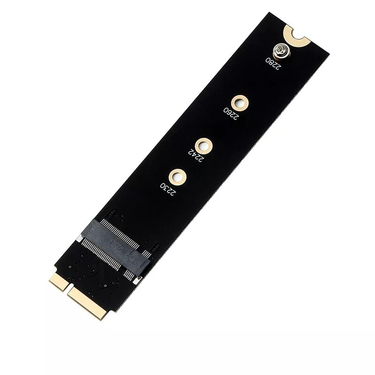
M2 Konektörü M.2 NGFF SATA SSD Dönüştürücü Adaptör Yükseltici Yükseltici Kart Apple 2012 Kitap Hava A1465 A1466 YENI
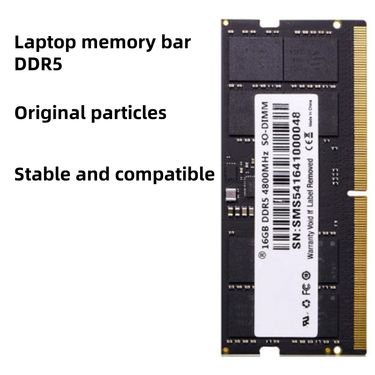
DDR5 8GB 16GB 32GB 4800MHz 5600MHz RAM - Dizüstü Bilgisayarlar İçin Yüksek Hızlı Bellek

YENİ Çift Mikro SD TF CF Adaptörü SDHC SDXC Tip I Kompakt Flash Bellek Kartı Okuyucu Dönüştürücü Kamera İçin
1 ADET YENİ Çift Yuvalı TF'den MS Memory Stick Pro Duo Kart Adaptörü CR5400 PSP 1000/2000 İçin
WIFI Adaptörü Bellek TF Mikro SD'den CF'ye Kompakt Flash Kart Kiti Microsd/SDXC/SDHC Tip I Dönüştürücü Dijital için

Çift TF Mikro-SD Kompakt Flaş Kart Tutucu, XC TFSD'den Yüksek Hızlı Kamera CF Adaptörüne Kadar Destekler
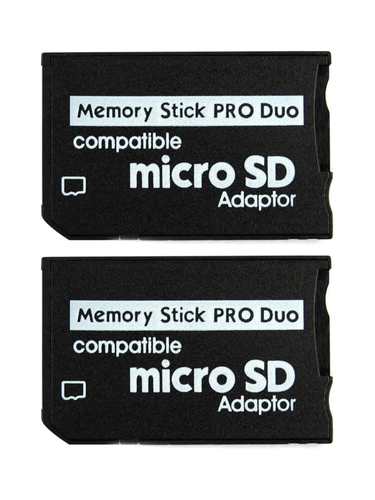
1 ADET MINI bellek çubuğu SDHC TF'den Du Adaptörüne PSP Kamera MS Pro Duo Kart Okuyucu Yüksek Hızlı Dönüştürücü

Çift Bağlantı Noktalı Micro-SD/SDHC/SDXC TF'den Compact Flash CF Okuyucuya Adaptör, Mikro SD Kartı Destekler

Telefon için Güvenli Dijital Kart Adaptörü Dönüştürücüsüne Mini Taşınabilir TF
Memory Card Adapters Designed for Compatibility and Convenience
If you’ve been working with multiple devices lately, you’ve probably noticed how often small compatibility issues interrupt the flow. A camera card doesn’t fit your laptop, or a file transfer has to wait until you’re back at a specific desk. These moments add up, especially when you’re dealing with media regularly.
That’s where memory card adapters come in. They aren’t flashy, but they’re quietly solving problems while your workflow is getting faster and more flexible.
One Adapter, Multiple Cards—How It Simplifies Your Setup
Most people aren’t using just one type of card anymore, even if they started that way. Over time, formats change, devices multiply, and suddenly you’re managing several cards at once.
Using a sd card adapter keeps things under control. While you’re switching between devices, the adapter is handling compatibility in the background, so you won’t be stopping to rethink your setup every time you move files.
From Cameras to Laptops: Expanding Device Compatibility
Many modern laptops are becoming slimmer, and as that’s happening, built-in card slots are quietly disappearing. If you’re editing or backing up files on the go, this can slow things down.
A micro sd card adapter helps bridge that gap, especially when you’re transferring files from smaller cards to a larger system. And when your laptop doesn’t support direct card access, an adapter will be making sure your files are still moving smoothly.
Speed, Stability, and Ease of Use Explained
Speed matters most when you’re working with large files and tight schedules. A reliable card reader ensures that transfers are happening consistently, without random disconnects or corrupted data.
This becomes especially important if you’re filming with a vlogging camera, where video clips are large and you’ll often be offloading footage multiple times a day. When the connection is stable, editing can start sooner—and frustration stays out of the process.
When an Adapter Makes More Sense Than Replacing Cards
It’s easy to assume that new devices require new storage, but that’s not always the case. Many existing cards still work perfectly well and don’t need replacing.
If you’re already using a memory card for camera, an adapter lets you keep that investment useful. Instead of buying new cards for every device, you’ll be adapting what you already own while your setup continues evolving.
Everyday Scenarios Where Card Adapters Make Life Easier
Adapters tend to prove their value in everyday moments rather than big upgrades. You might be transferring photos after a trip, backing up content before deleting cards, or sharing files with a teammate.
Some users are combining adapters with tools like an hdd enclosure, creating a compact system where files are moving from card to drive without unnecessary steps. While you’re organizing and backing things up, the adapter is keeping the process simple and portable.
Key Questions Shoppers Ask Before Buying
One common question is whether adapters affect performance. In real-world use, a well-made adapter won’t be slowing things down in a noticeable way, especially for everyday photo and video workflows.
People also ask about durability. Since adapters are often traveling in bags or pockets, solid construction will matter over time. And if you’re switching between devices often, choosing an adapter that supports multiple formats will save you from future replacements.
 9,249 incelemeye göre 5 üzerinden 4.4